
Most of the questions micali.online users send us follow the same pattern: "Where do I find…?", "How do I set up…?", "Why isn't … showing?". An answer to them usually already exists — in the help centre, in a guide, or in the head of someone on our team. The problem is finding it, often at the exact moment you have a customer standing in front of you and no time to read.
That is why every micali.online account now has an AI assistant you can ask directly inside the app. It knows micali.online, it knows your account, and it answers in your own language, complete with a link to the screen where you can do the thing you asked about. It is available to every member of the account, free of charge, just like the rest of the platform.
Where to find it
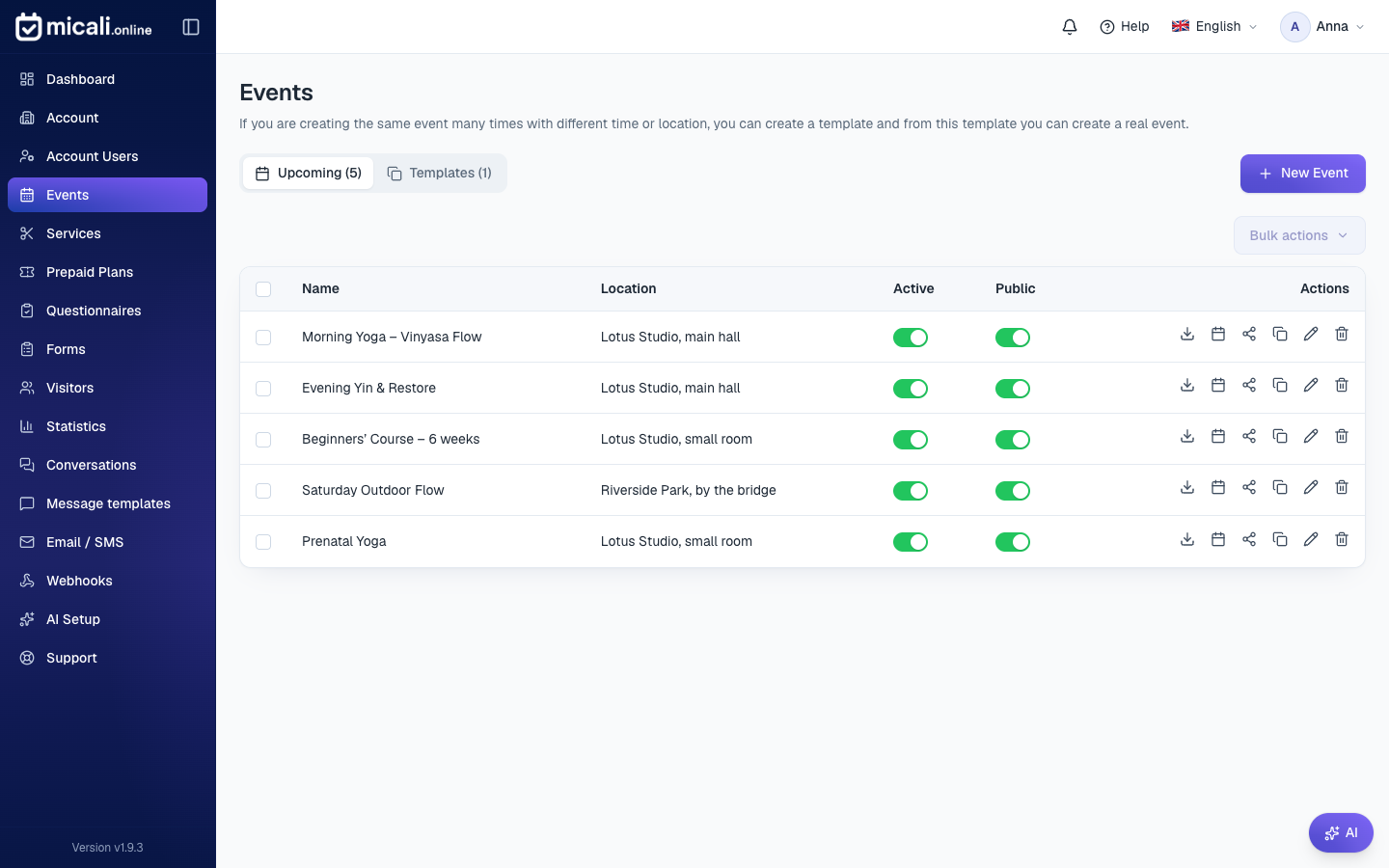
Once you are signed in to your account, you will see a small AI button with a sparkle icon in the bottom-right corner of every page. Pressing it opens the Ask AI window, where you type your question just as you would ask a colleague. You don't need to hunt for the right keywords or know what a feature is called in the menu.
What you can ask it
The assistant can answer three kinds of questions, and it is the combination of all three that makes it useful.
How to set something up. These are the classic questions about the app: "How do I restrict an event to members only?", "Where do I turn on the waiting list?", "How do I connect Gmail so I can send emails?", "What do the Public and Active switches mean?". The assistant explains the steps and adds a direct link to the screen where you'll do it.
About your own account. The assistant sees your account's current data — your events and their dates, services and procedures, prepaid plans, team members, contact details. So you can also ask it "When is the next morning yoga session?", "Which services do I currently have published?" or "Who on my team has the admin role?". It answers from your real data, not from a generic guide.
For a link or QR code. Every event, service and prepaid plan has its own public page where visitors book an appointment. Ask the assistant "Give me the link to the massage service so I can send it to customers" or "Generate a QR code for my booking page", and you will get exactly that link, or a ready-made QR code you can download and put on a poster or the counter.
An answer with a link, not a guide on where to look
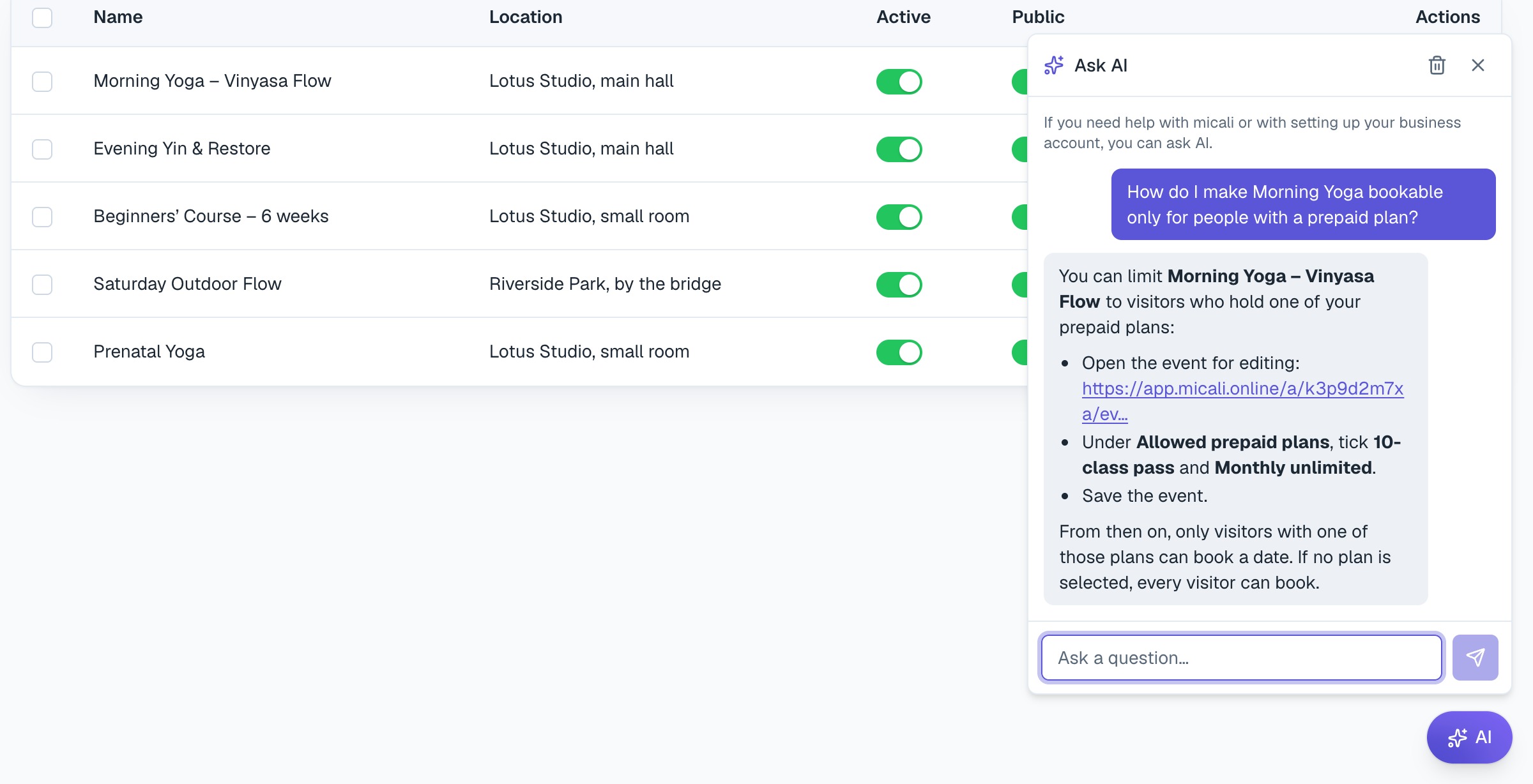
The difference from an ordinary help centre is that the assistant will not say "open the Events section and find the event you're looking for". When you ask about a specific event or service in your account, the link in the answer takes you straight to editing it. One click, and you are right where you need to make the change.
How to ask to get a good answer
- Ask specifically. "How do I set it up so only people with a prepaid plan can book Morning Yoga?" gets a better answer than "how do prepaid plans work".
- Use the names from your account. The assistant knows your events and services by name, so feel free to name them directly.
- Keep the conversation going. The assistant remembers what you've been talking about, so you can follow up with things like "and where do I turn that off afterwards?", "and can I do that for a service too?".
- Write in your own language. It replies in whichever language your app is set to.
What the assistant does not do
An assistant with access to your account's data needs clear boundaries, so a few things are deliberately excluded:
- It sees only your account. It never sees the data of other businesses on micali.online, and never refers to it.
- It never changes anything on its own. The assistant advises and links, but it never makes a change on your behalf. You make every change yourself, on the screen it directs you to.
- It does not make things up. Prices, dates and contact details come exclusively from your own data. If it doesn't know something, it says so and points you to the place in the app where you can check it.
We keep teaching it
Since it launched in the summer, we have significantly expanded the assistant — with new parts of the app such as mailing lists and Statistics, with direct links to specific screens, and with QR codes. We are continuing: every question it couldn't answer, we treat as a task showing us what it still needs to learn. So if it doesn't help you with something, let us know through the Support section right in the app.
At the same time, we are also expanding our help site help.micali.online. There you will find an overview of all the features, step-by-step guides and explanations of individual settings. The assistant draws on it as well, so every improvement to the help centre is reflected in its answers too.
Where to find it
The AI button is in the bottom-right corner of every page once you are signed in to your account. Any member of the account can use it, not just its owner. Like everything else in micali.online, the AI assistant is free of charge. If you are already taking bookings with micali.online, it is waiting for you in the corner of the screen — try asking it something.