
How we helped our client oadhd.sk handle event registrations through a custom form connected to Micali.
A good registration experience feels like a natural continuation of the website where someone decided to attend. It shares the same visual style, gives clear instructions and makes the next step obvious. For oadhd.sk, we connected a custom registration form to Micali. The project gained registration in its own design, backed by a booking system working behind the scenes.
It started with people who want to meet
O ADHD otvorene is a Micali client and an initiative run by the Hudbohry civic association. It creates a space for professionals, parents, educators and adults with ADHD to meet. Its website introduces the topics, guests and an upcoming event in Trnava.
When designing registration, we wanted to preserve that same atmosphere when a visitor decided to attend. Calm colours, custom typography and concise explanations were to continue all the way to submitting the form.
At the same time, we needed registration data to connect to the system used to manage the event. We therefore designed a custom form on oadhd.sk and connected it to Micali.
A form that belongs on the website
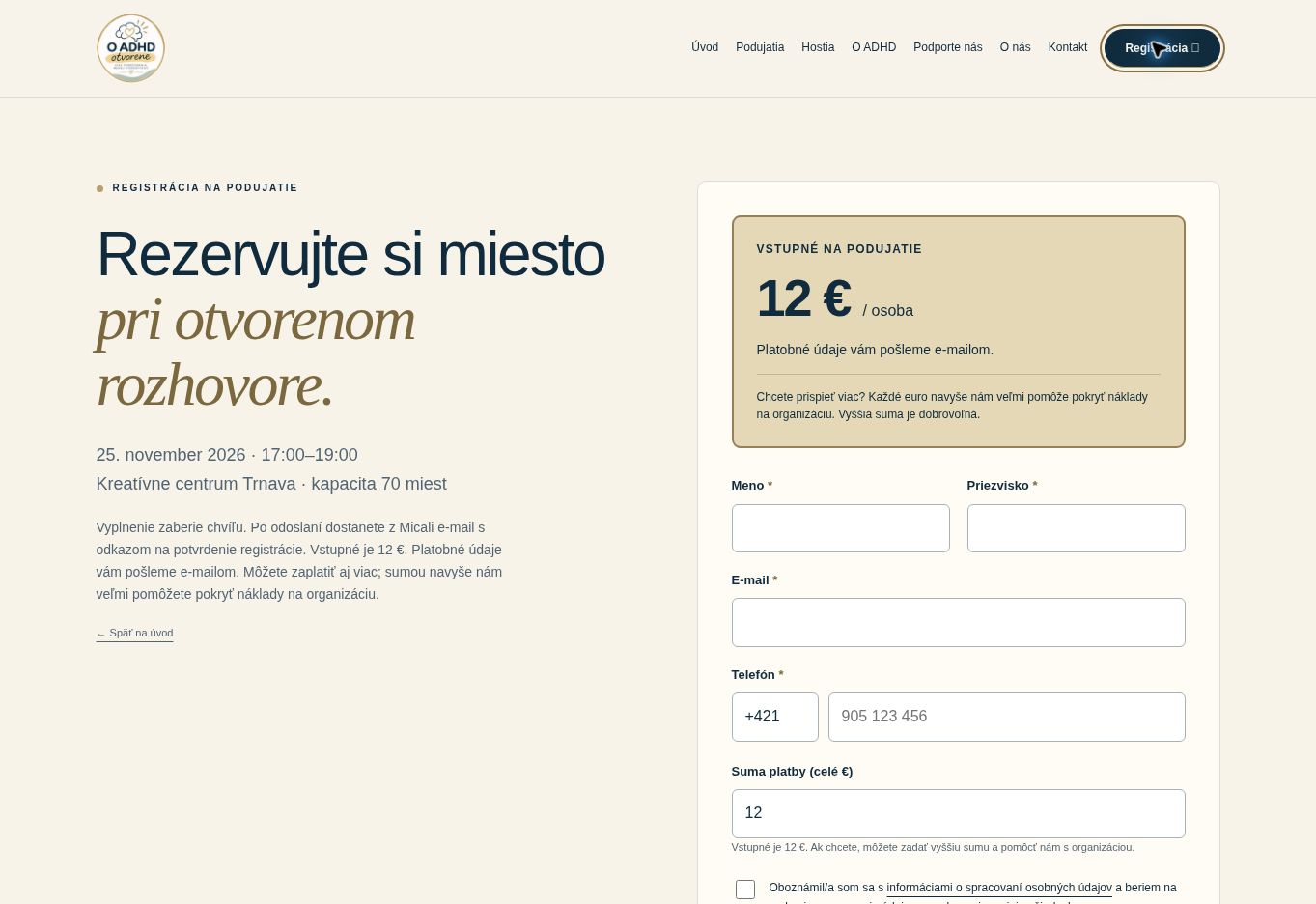
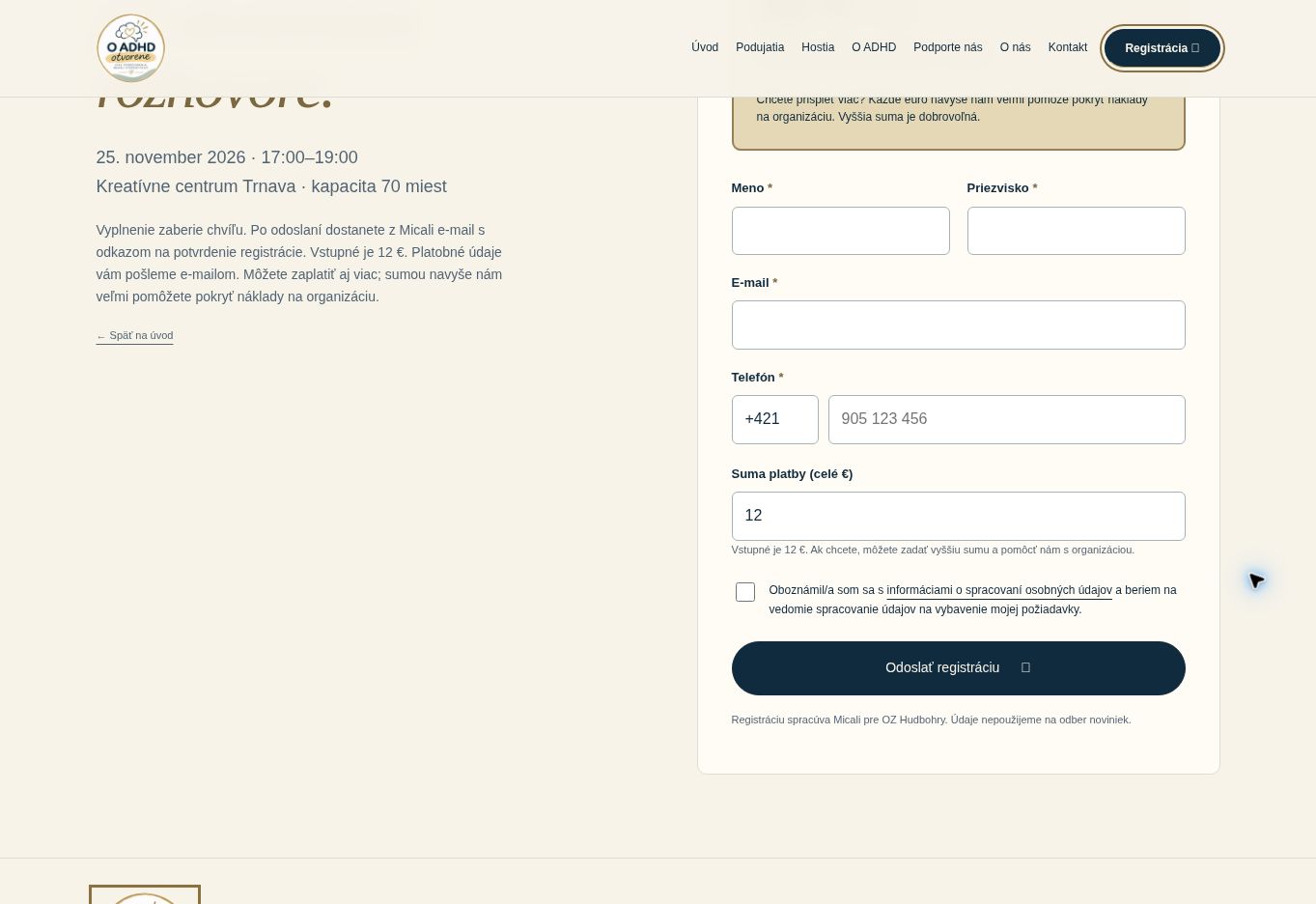
On the registration page, visitors have the date, venue and admission information close at hand. Alongside it, they enter their first name, surname, email and phone number. Everything stays within the oadhd.sk website.
The custom form also made room for a detail that matters to this project: participants can choose to pay more than the basic admission fee, supporting the organisation of the event. Both the explanation and the relevant field appear directly in the registration form.
This is where the value of a custom integration becomes clear. The wording, field order and explanations of each step can all reflect the needs of the individual project.
What happens after submission
Registration follows a clear sequence:
- A visitor completes the form on oadhd.sk.
- They submit a registration request through the website.
- Micali emails them a confirmation link.
- They follow the link to complete registration under the event's rules.
- They receive payment details by email according to the organiser's instructions.
The confirmation email is an important part of this process. Before submission, the page explains that registration must be completed through the link in the message. Visitors therefore know what to do next.
The amount entered in the form also has a specific purpose: it expresses the payment amount the participant has chosen. The money itself is transferred according to the payment instructions they receive.
From a widget to a custom server-side integration
This project demonstrates one way to bring Micali into your own website. You can choose the depth of integration according to how much control you need over the interface and whether you have a developer available.
| Integration method | What visitors see | When it makes sense |
|---|---|---|
| A link to the booking page | The Micali booking page | When you want to start with a simple link from your website, email or social media. |
| A widget on your website | A Micali button and booking window | When you want bookings accessible directly from an existing page with minimal changes. |
| A custom form connected to Micali | An interface designed for your project | When you want control over the design, wording, fields and complete registration journey. |
A widget is a practical starting point. Add the prepared code to your website and make bookings available through a button. You can also open the booking window from your own button, placing it wherever it makes sense on the page.
A custom form takes this a step further. You design your own interface and connect submissions to bookings through Micali's integration interface. That is exactly the approach we used for oadhd.sk.
You can also call Micali from your server
A custom form can connect through your website's server. For the visitor, it is still an ordinary registration. Technically, however, your server receives the request first, checks the data and then calls the appropriate Micali interface.
This arrangement lets you apply your own rules before passing the request on: checking required fields, formatting a phone number or assigning registration to a specific event. If the integration uses secret credentials, they stay on the server.
The developer then uses Micali's response to show the visitor the next step. For example, they distinguish between an accepted request, the need to confirm an email address and a problem that prevented registration from continuing.
A custom interface can therefore remain simple on the surface while being properly connected to the full process behind it.
What this integration gave us
The result is a registration journey that visually belongs to oadhd.sk while using Micali's booking infrastructure. The organiser can introduce the event in their own words, visitors complete the form in familiar surroundings and registration confirmation continues through Micali.
The main benefit of this implementation is the division of responsibilities. The website handles content and the user interface. Micali handles bookings. This lets us adapt the experience to an individual project while using an existing booking system.
The same principle works for workshops, courses, community events and consultation sign-ups—wherever registration needs to fit naturally into your own website.
What will your booking experience look like?
You can start with a link, add a widget or build a custom form with a server-side integration. Micali gives you room to choose the approach that fits your project.
Take a look at registration on oadhd.sk and explore Micali.online.