When manicures and pedicures share the same chairs, their bookings need to count together. New groups in Micali let you set shared capacity across services and decide which treatments customers can book together.
While setting up bookings for a salon with two chairs, we ran into a question that simply counting seats could not solve. How could we allow manicures and lash extensions at the same time, while accounting for the fact that one technician does every type of lash treatment? The same situation comes up when several services share chairs or a room. When each service counted its bookings separately, pedicures could still offer a slot even though manicures had occupied every chair. That is why we added groups to Micali.
What you can set up in a group
A service group brings separate services together, such as manicures and pedicures. A procedure group brings options within one service together, such as classic, hybrid, and volume lashes. Create a group when those items need to follow a shared rule. Only you can see its name, and there are two settings.
- Visitors at the same time sets how many people can have bookings at the same time across the whole group. If one customer books two services together in a single visit, that uses one place in the capacity.
- One visitor can choose at most sets how many items from the group one person can book together for the same start time.
Fill in only the field you need. If a service or procedure belongs to multiple groups, a booking must follow the rules of every group as well as the limits on the service and procedure themselves.
Three salon examples
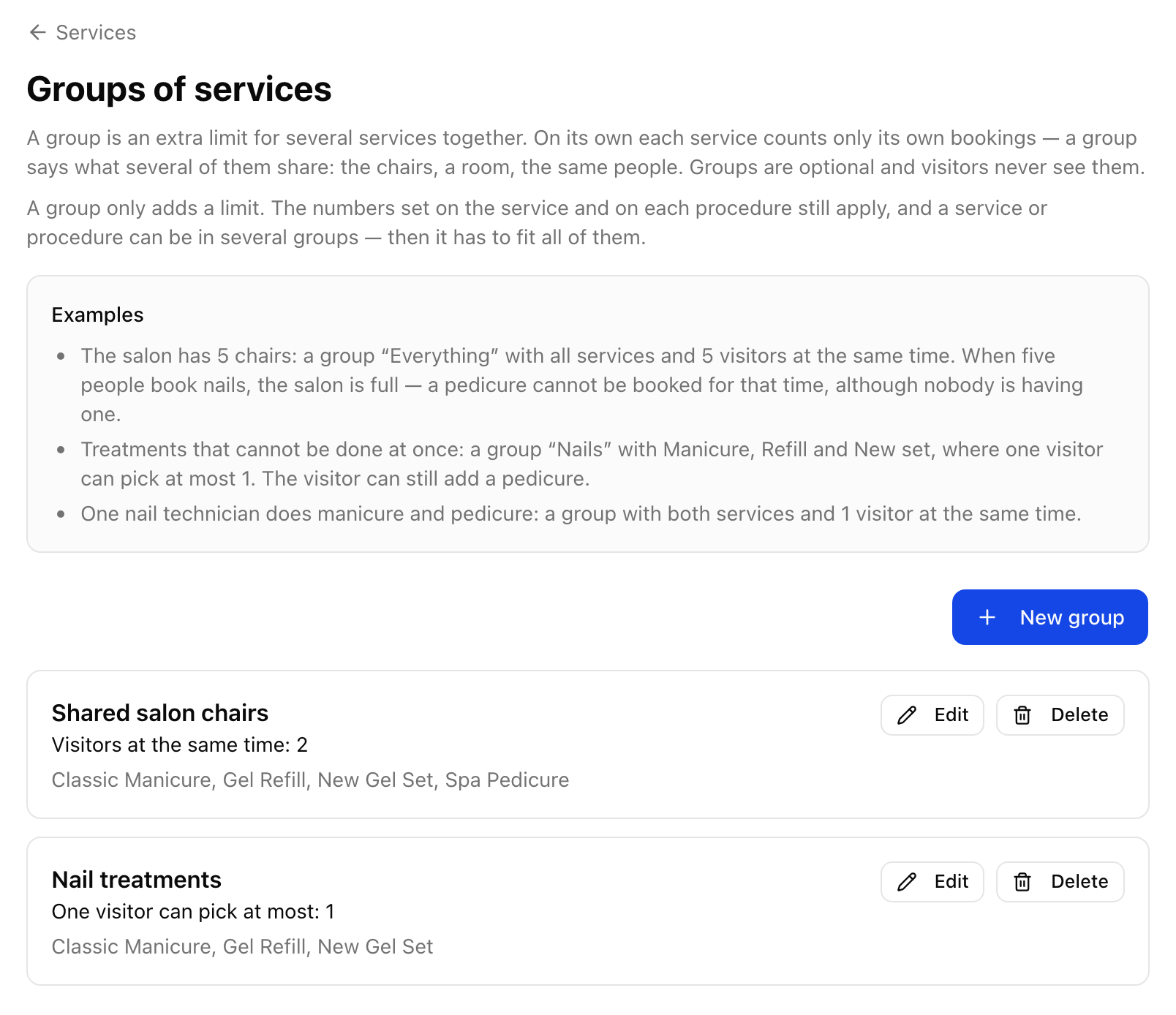
Two chairs for manicures and pedicures
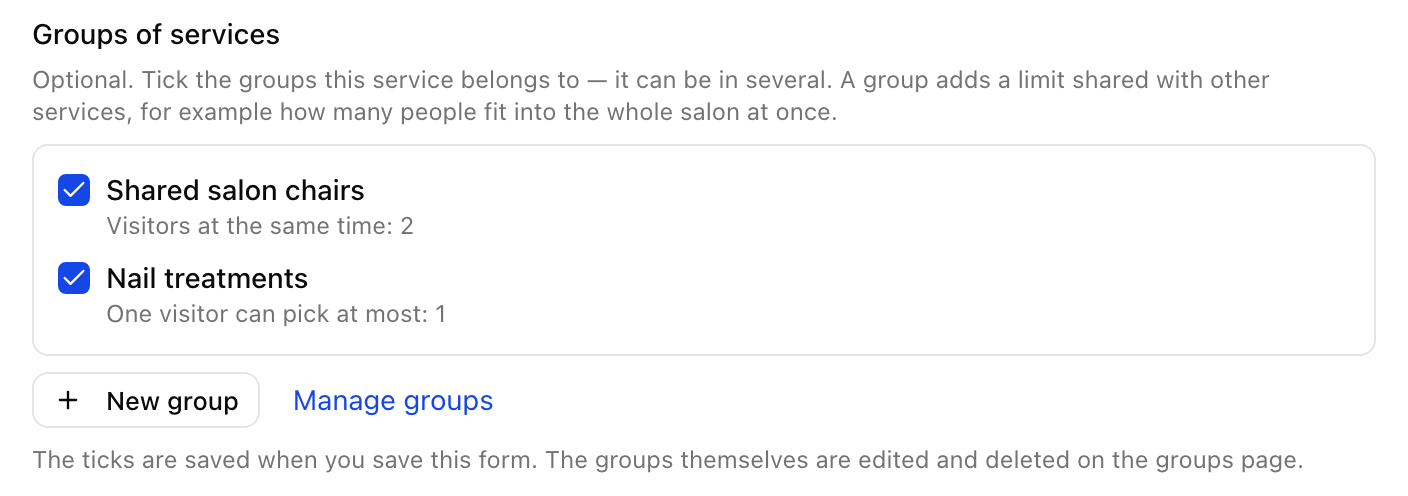
At the sample salon Bloom Studio, classic manicure, gel refill, new gel set, and pedicure share two chairs. All four services belong to the Shared salon chairs group, with capacity for 2 visitors at the same time. If one customer books a manicure at ten and another books a gel refill, both chairs are occupied and Micali will not offer a pedicure at that time. The same rule works in a photography studio where portrait and product shoots share one studio.
One nail service per visit
Manicure, gel refill, and a new set are alternatives at this salon. Even when chairs are free, a customer should choose only one of them for the same time. So these three services also belong to Nail treatments, with a limit of at most 1 item per visitor. Pedicure is outside this group, so customers can add it if the service settings and available capacity allow.
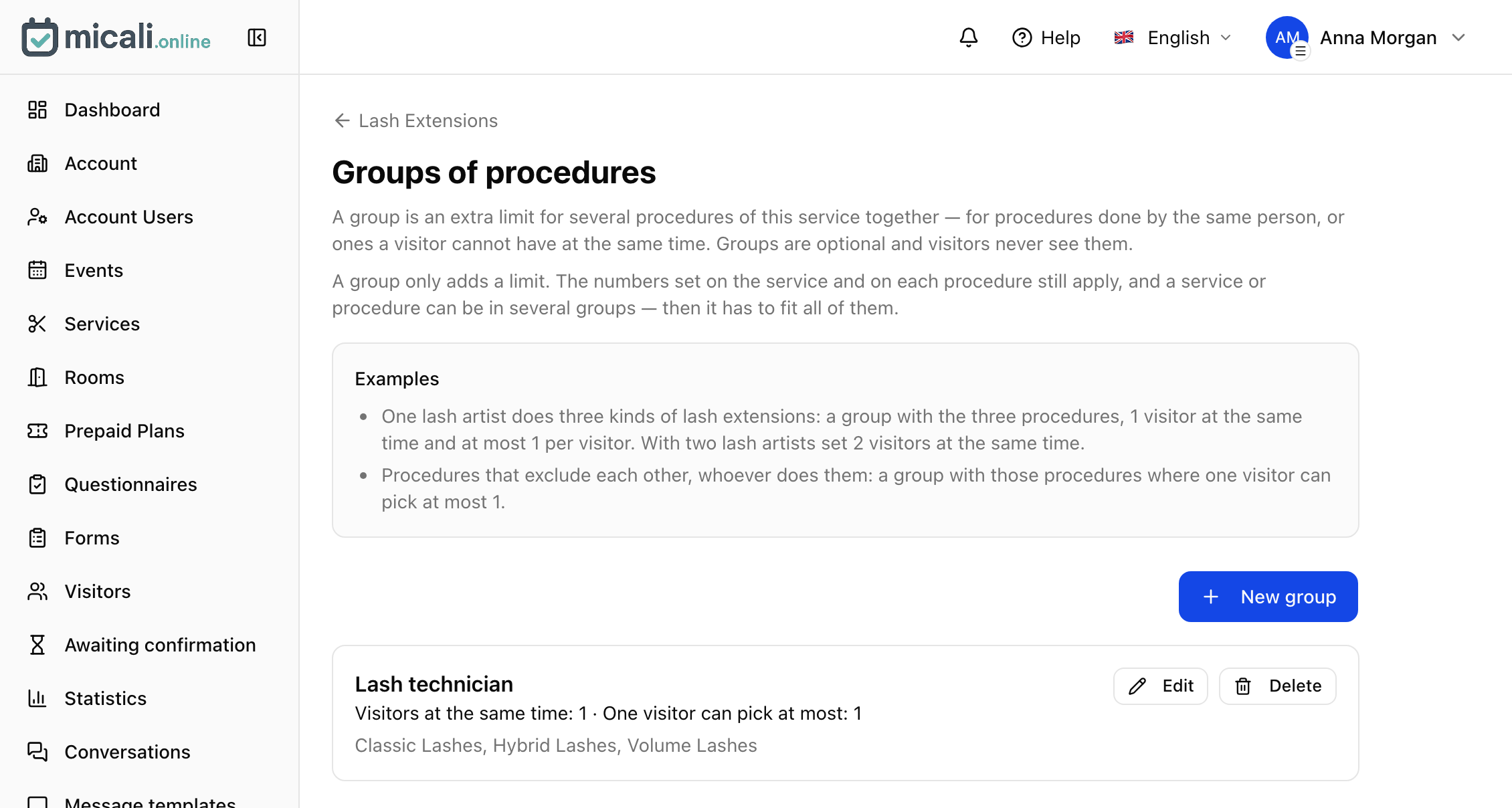
One lash technician for three lash types
Classic, hybrid, and volume lashes are three procedures within one service. The same technician performs them all. In the Lash technician group, set 1 visitor at the same time and at most 1 procedure per visitor. While a classic lash appointment is in progress, Micali will not offer a hybrid or volume appointment at that time.
Where to find groups
- Open Services, then Service groups. To group procedures, first open a specific service, then select Procedure groups.
- Click New group, name the group, select services or procedures, and set the relevant limits.
- You can also check existing groups while editing a service or procedure. Your selection is saved with the form.
Get help setting things up with AI chat
Setting up groups correctly can be tricky at first. Which procedures need their own limit, and which should count together? In the Ask AI chat, describe who does what, which services use the same space or equipment, and which bookings can happen at the same time. The assistant can suggest a group or a simpler setting directly on a service or procedure. It will show you proposed changes for confirmation.
“Manicure, gel refill, a new set, and pedicure all use the same two chairs. We want no more than two customers at the same time. Each customer can choose one nail service and add a pedicure if capacity allows. How should we set this up?”
Try groups in the Micali app. Find the steps in the services guide. To go through the setup with us, email support@micali.online.