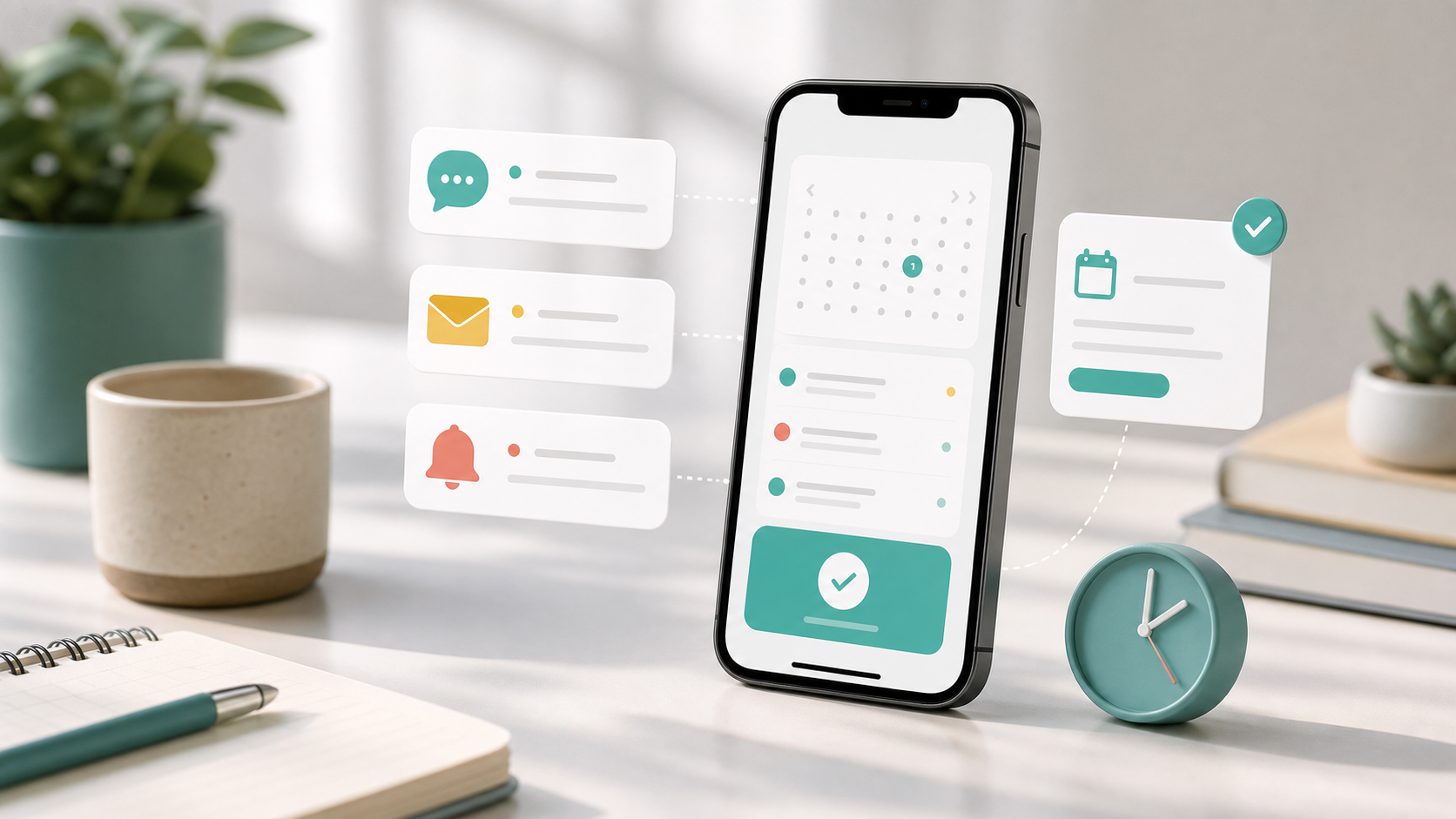
The moment someone books with you, they want one thing: to know it actually worked. A good booking confirmation email answers that instantly — and then keeps working in the background, reminding the customer what they booked, when, where and how to reach you.
Done well, a confirmation does three jobs at once. It reassures the customer their slot is locked in, it sets expectations for what happens next, and it quietly reduces no-shows by putting the details somewhere they can find them. Done badly — or skipped — it leaves people anxious and far more likely to forget.
Below: why confirmations matter, the anatomy of a great one, and 27 ready-to-use templates by use case. Copy any of them, swap in your details, and you're done.
Confirmation emails are only one part of the flow. For the full setup, including booking pages, forms and reminders, see our complete online booking setup guide.
Why booking confirmations matter
A confirmation is the first impression of your service after the sale, and one of the highest-engagement emails you'll ever send — people open them because they're expecting them and they care about the contents. Use that attention well.
- Reassurance. Customers worry a booking didn't go through. An instant confirmation removes that doubt before it forms.
- Fewer no-shows. It puts the date, time and an "add to calendar" option in front of the customer, so the appointment lives in their phone, not just their memory.
- Clear expectations. Where to park, what to bring, how early to arrive, your cancellation policy — set it here and field far fewer questions later.
- Fewer mistakes. Showing the details back lets the customer catch a wrong date or service immediately, while it's easy to fix.
The anatomy of a great confirmation email
The best confirmations are short, scannable and unmistakably about this booking. Lead with the essentials, make the key action obvious, and don't bury the details under marketing.

Whatever your industry, every confirmation should cover the same core ingredients. Use this as a pre-send checklist.

One note on tone: warm and human beats formal and robotic. Use the customer's first name, name the staff member or host, and write the way you'd speak. The templates below are deliberately concise — feel free to add personality.
Subject lines that get opened
A good subject line lets the customer scan their inbox later and find the booking in seconds. The winning formula is simple — confirm, then state the date and time.
- You're booked in for {date}, {time} — clear and reassuring.
- Confirmed: {service} on {date} — great when the service is the headline.
- Your booking with {business} is confirmed — simple and brand-led.
- See you {date} — booking confirmed — warm and friendly.
- Booking #{reference} confirmed for {date} — useful when you reference a booking number.
Keep subject lines under about 50 characters so they don't truncate on mobile, and avoid all-caps or excessive exclamation marks, which can trip spam filters.
How the merge fields work
Every template below uses merge fields — placeholders in curly braces that your booking system swaps for real values when the email sends. So {first_name} becomes "Sarah" and {time} becomes "2:00pm". Here's the full set used in this guide.
| Merge field | What it becomes | Example |
|---|---|---|
| {first_name} | Customer's first name | Sarah |
| {service} | Service or booking name | Cut & blow-dry |
| {date} | Appointment date | Fri 26 Jun |
| {time} | Start time | 2:00pm |
| {staff} | Staff member or host | Maria |
| {location} | Address or join link | 12 High St |
| {business} | Your business name | Bella Hair Studio |
| {manage_link} | Reschedule or cancel link | book.example.com/abc |
If a field doesn't apply to a particular template, just delete it. The four use cases below cover almost every booking type.

General & service appointment templates
The everyday workhorses — suitable for any one-to-one appointment, from consultants to trades to tutoring.
1. The simple confirmation. Hi {first_name}, your booking is confirmed. You're booked in for {service} on {date} at {time} with {staff}. Location: {location}. Need to make a change? Manage your booking here: {manage_link}. See you soon — {business}.
2. The warm welcome. Hi {first_name}, we can't wait to see you! Your {service} is all set for {date} at {time}. We've reserved this time just for you. If anything changes, you can reschedule in one tap: {manage_link}. Any questions, just reply to this email. — The team at {business}
3. The detailed confirmation. Hi {first_name}, thanks for booking with {business}. Here are your details — Service: {service}. Date: {date}. Time: {time}. With: {staff}. Where: {location}. Please arrive 5 minutes early. To reschedule or cancel, use {manage_link}.
4. The first-time customer. Hi {first_name}, welcome to {business} — we're delighted you booked! Your first {service} is confirmed for {date} at {time}. It's easy to find us at {location}, and {staff} will be looking after you. Manage your booking any time: {manage_link}.
5. The minimal one-liner. Confirmed: {service}, {date} at {time} with {staff}. Manage your booking: {manage_link}. — {business}
Hair & beauty salon templates
Salon and spa clients love a personal touch. Name the stylist or therapist, and mention anything they should know before arriving.
6. Salon appointment. Hi {first_name}, you're booked in at {business}! Your {service} with {staff} is confirmed for {date} at {time}. Please let us know of any allergies or preferences when you arrive. Running late or need to rebook? Tap here: {manage_link}. Can't wait to pamper you!
7. Hair colour or long service. Hi {first_name}, your {service} with {staff} is confirmed for {date} at {time}. As this is a longer appointment, please allow up to a couple of hours and come with clean, dry hair. To reschedule, use {manage_link}. See you at {location} — {business}.
8. Barbershop. Hi {first_name}, you're in the chair on {date} at {time} for your {service} with {staff}. Walk-ins get busy, so thanks for booking ahead. Need to move it? {manage_link}. Cheers — {business}.
9. Spa & wellness. Hi {first_name}, your moment of calm is booked. {service} with {staff} on {date} at {time}. Please arrive 10 minutes early to settle in, and leave valuables at home. Manage your booking: {manage_link}. We look forward to welcoming you to {business}.
Medical, dental & clinic templates
Clinical confirmations should be clear, calm and include any prep instructions. Keep them professional and reassuring.
10. Medical appointment. Dear {first_name}, this confirms your appointment at {business} on {date} at {time} with {staff}. Location: {location}. Please bring any relevant documents and arrive 10 minutes early. To reschedule, contact us via {manage_link}.
11. Dental appointment. Hi {first_name}, your {service} with {staff} is confirmed for {date} at {time} at {business}. Please let us know in advance of any changes to your medical history. Need to rearrange? Use {manage_link}. We'll see you soon.
12. Appointment with prep instructions. Dear {first_name}, your {service} is booked for {date} at {time} with {staff}. Important: please follow the preparation instructions sent separately. If you have questions before your visit, reply to this email. Reschedule here if needed: {manage_link}. — {business}
13. Therapy or counselling session. Hi {first_name}, your session with {staff} is confirmed for {date} at {time}. This is a confidential, judgement-free space. If you need to cancel, please give 24 hours' notice via {manage_link}. Take care — {business}.
Classes & group session templates
For group bookings, confirm the spot, the class details and what to bring. A reminder about your no-show policy helps when places are limited.
14. Fitness or yoga class. Hi {first_name}, your spot in {service} on {date} at {time} is confirmed! Bring water and wear comfortable clothing. Class is at {location} with {staff}. Can't make it? Free up your place for someone else here: {manage_link}. See you on the mat — {business}.
15. Course or multi-week class. Hi {first_name}, you're enrolled in {service}! Your first session is {date} at {time} with {staff}, at {location}. We'll send details for each week as we go. To manage your enrolment, use {manage_link}. Welcome aboard — {business}.
16. Limited-places class. Hi {first_name}, great news — your place in {service} on {date} at {time} is secured. Spaces are limited, so if you can't attend please cancel early via {manage_link} to offer your spot to someone on the waiting list. Thanks — {business}.
17. Kids' or family class. Hi {first_name}, your child's place in {service} is confirmed for {date} at {time} with {staff}. Please arrive a few minutes early for sign-in at {location}. Need to change the booking? {manage_link}. See you there — {business}.
Events & workshop templates
For ticketed events, confirm the booking, restate the essentials and tell people what to do on the day.
18. Workshop confirmation. Hi {first_name}, you're registered for {service} on {date} at {time}! It takes place at {location}, hosted by {staff}. All materials are provided — just bring yourself and a notebook. Manage your registration: {manage_link}. Looking forward to it — {business}.
19. Ticketed event. Hi {first_name}, your booking for {service} is confirmed. Date: {date}. Time: {time}. Venue: {location}. Please have this confirmation ready on arrival. To view or change your booking, use {manage_link}. See you there — {business}.
20. Seminar or conference. Dear {first_name}, thank you for registering for {service} on {date}. Doors open at {time} at {location}. A full agenda will follow closer to the date. Need to update your details? {manage_link}. We look forward to welcoming you — {business}.
21. Free community event. Hi {first_name}, you're on the list for {service} on {date} at {time}! It's free, but booking helps us plan numbers — thank you. Can't make it? Please let us know via {manage_link} so we can offer your place to someone else. — {business}
Restaurant & table booking templates
Table reservations are short and time-sensitive. Confirm party size and time, and make it easy to cancel if plans change.
22. Table reservation. Hi {first_name}, your table at {business} is booked for {date} at {time}. We've got you down for your party — see you then! If your plans change, please let us know via {manage_link} so we can offer the table to other guests. Bon appétit!
23. Special occasion booking. Hi {first_name}, your celebration table is confirmed for {date} at {time}. Let us know if there's anything special we can arrange — we'd love to make it memorable. Manage your reservation: {manage_link}. See you soon at {business}.
Deposit-required booking templates
When a booking needs a payment to be secured, the confirmation should make the payment status crystal clear.
24. Deposit received. Hi {first_name}, thank you — your deposit is received and your {service} on {date} at {time} with {staff} is now secured. The balance is due on the day. To reschedule, use {manage_link} (please note our deposit policy). See you soon — {business}.
25. Payment pending. Hi {first_name}, we've reserved your {service} for {date} at {time}, but it isn't confirmed until your deposit is paid. Please complete payment here within 24 hours to secure your slot: {manage_link}. Any trouble, just reply. — {business}
Reschedule & online-meeting templates
Finally, two templates for the moments after a change, and for virtual bookings where the "location" is a link.
26. Reschedule confirmed. Hi {first_name}, your booking has been moved — all sorted! Your {service} with {staff} is now on {date} at {time}. Everything else stays the same. Need to change it again? {manage_link}. Thanks for letting us know — {business}.
27. Online or video meeting. Hi {first_name}, your {service} with {staff} is confirmed for {date} at {time}. Join using this link at the start time: {location}. We recommend testing your camera and mic a few minutes early. Need to reschedule? {manage_link}. See you online — {business}.
Putting it on autopilot
Writing the perfect confirmation once is easy. Sending a personalised one instantly, every single time, is where a booking system earns its place. With micali.online you get instant, automated confirmation emails — and SMS — the moment someone books, complete with merge fields, an "add to calendar" option and a one-tap link to reschedule or cancel.
Build your booking page free, with no credit card, and pair these confirmations with automated reminders to keep no-shows low. For more wording, browse our templates library or our booking automation guides.
Frequently asked questions
What should a booking confirmation email include?
At minimum: a clear subject line with the date, a personal greeting, the exact service, the date and time (with time zone if relevant), the location or join link, the staff member or host, and a reschedule or cancel link. Adding your contact details and cancellation policy heads off most follow-up questions.
How quickly should a confirmation be sent?
Instantly. The point is to reassure the customer their booking worked, so an automated confirmation that arrives within seconds is ideal. Even a few minutes' delay can prompt people to rebook or call to check.
Should I send a confirmation and a reminder?
Yes — they do different jobs. The confirmation reassures and records the details at booking; the reminder nudges the customer shortly before so they don't forget. Together they're one of the most effective ways to reduce no-shows.
What are merge fields and do I need them?
Merge fields are placeholders like {first_name} or {time} that your booking system replaces with each customer's real details automatically — so you can send everyone a personalised confirmation without writing a single email by hand. Any modern booking platform supports them.
Can I use these templates for SMS too?
The shorter ones, yes. Trim to a single sentence with the service, date, time and a reschedule link. Keep SMS confirmations brief and always include one clear action.
The bottom line
A booking confirmation email is a small thing that does a lot: it reassures, it sets expectations and it keeps your calendar full. Pick the template that fits your business, swap in your merge fields, and you'll never send a vague or forgettable confirmation again.
Ready to automate it? Create your free micali.online booking page and start sending instant, personalised confirmations today.